Guide
Hologram Display Size & Viewing Distance Guide
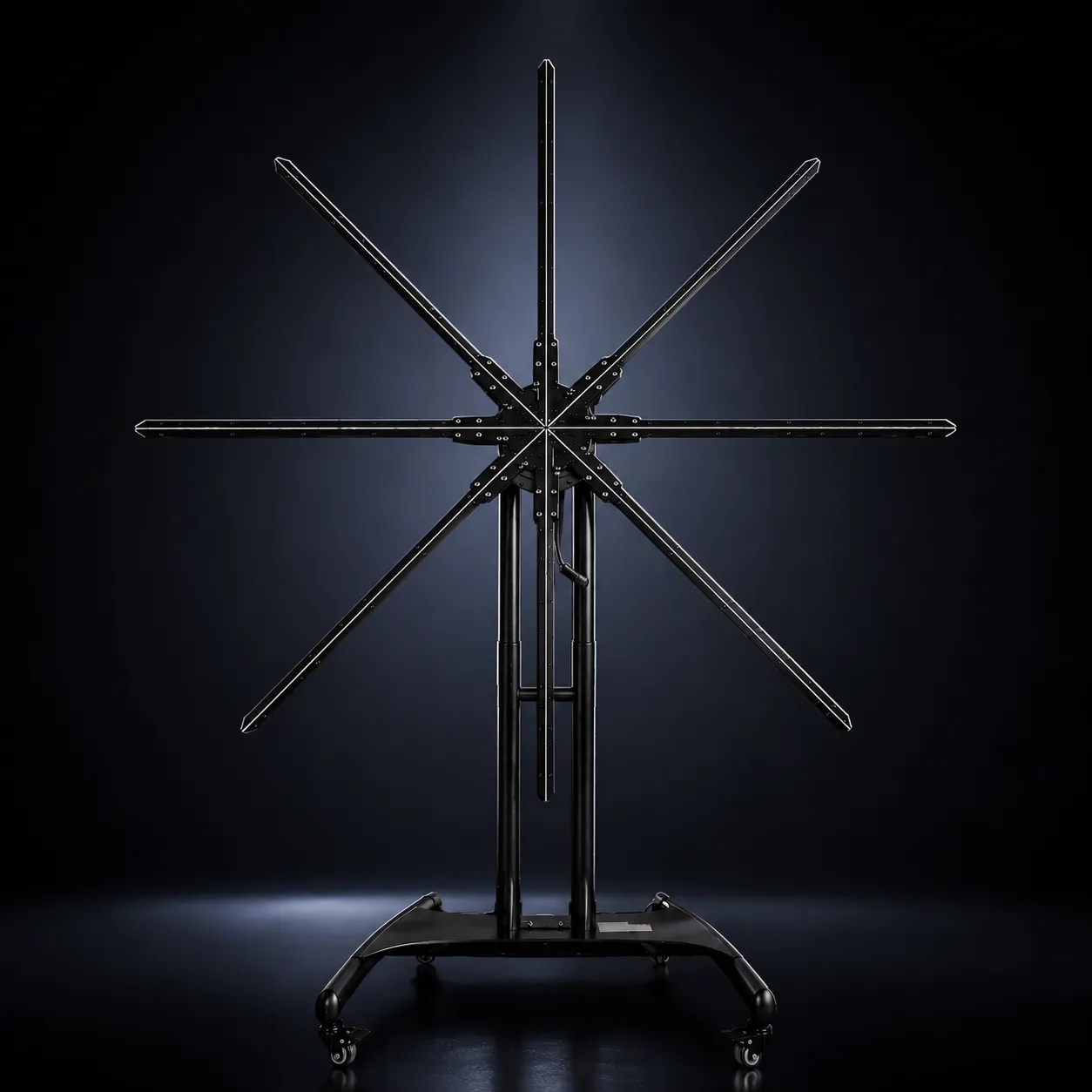
Match display size to where people will actually stand, the space, the content and the installation. Larger displays hold presence from farther away; smaller displays often fit close-range installations better.
As viewing distance and the size of the space increase, a holographic visual generally needs more physical scale to keep its presence. Size alone doesn’t decide the result: content, lighting and how the object is framed matter as much. Choose by distance, environment, content, the scale the object needs and the installation, not by the largest model available.
On this page
At a glance
- Desk / close range Small display, 11.8″ class
- Counter / kiosk 25.6″ class
- Retail / standard trade show 25.6″–39.4″ class
- Larger event environment 39.4″ class and up
- Large venue 59″–79″ class or multi-display
- Human-scale content HOLOHUMAN™
- Large-format installation HOLOWALL™
Planning note: these are general planning categories, not tested viewing-distance guarantees. The right size depends on the actual space, content and installation.
Why viewing distance changes the size you need
The farther away a viewer stands, the smaller the holographic image appears within their field of view. A display that feels large and immersive at three feet can feel far less dominant at twenty.
Distance changes how large the image looks, how much detail is visible, whether text can be read, how much impact the visual has, how quickly people recognize the subject and how the display relates to the architecture around it. That is why a counter, a trade show booth, a lobby and a large venue shouldn’t share the same sizing assumptions.
Same display · viewer distance
- 3 ftFills much of the view
- 6 ftAbout half the apparent size
- 10 ftAbout a third
- 20 ftA small part of the scene
Display size is not the size of the object
Display diameter and the size of the visible object are not the same thing. A 39.4″ display doesn’t mean the product fills the whole 39.4″ circle.
How large the object appears depends on the animation’s composition, the negative space around it, framing, the scale of the content, the shape of the object and its rotation or motion. Content should be designed for the display size, and the display size chosen with the content in mind.
The method
How to judge a display at viewing distance
To compare display sizes fairly, use the same content, lighting and evaluation criteria at fixed viewing positions, and change one thing at a time: the display size or the viewer’s distance.
Hold constant
- Content
- One standard visual: a product object, a logo, moderate detail, controlled motion, no tiny text
- Room
- The same space for every display
- Lighting
- The same recorded ambient light; repeat later in low, normal indoor and bright exhibition light
- Viewing position
- The same eye height, facing the display plane
Change one thing
- Display size
- One size class at a time, 11.8″ to 79″
- Viewer distance
- Fixed marks such as 3, 6, 10, 15 and 20 ft; farther for large displays
Score each position
- Visual presence
- Does the display command attention?
- Object recognition
- Is the subject clear right away?
- Detail
- Do small features still read?
- Text readability
- Can short labels be read?
- 3D effect
- Does the floating illusion hold?
- Environmental fit
- Does the size feel right for the space?
Scores should come from people standing at each mark. Camera footage can only illustrate: cameras capture rotating LED displays differently from the human eye.
| Display size | 3 ft | 6 ft | 10 ft | 15 ft | 20 ft+ |
|---|---|---|---|---|---|
| 11.8″ | |||||
| 25.6″ | |||||
| 31.5″ | |||||
| 39.4″ | |||||
| 59″ | |||||
| 79″ |
Original HOLOFAN viewing-distance test
- Test environment
- Lighting
- Content
- Models
- Results
- Limitations
Choosing a size by environment
Where people meet the display decides how much scale it needs. These five environments cover most commercial projects.
Close range and counters
Viewers within a few feet
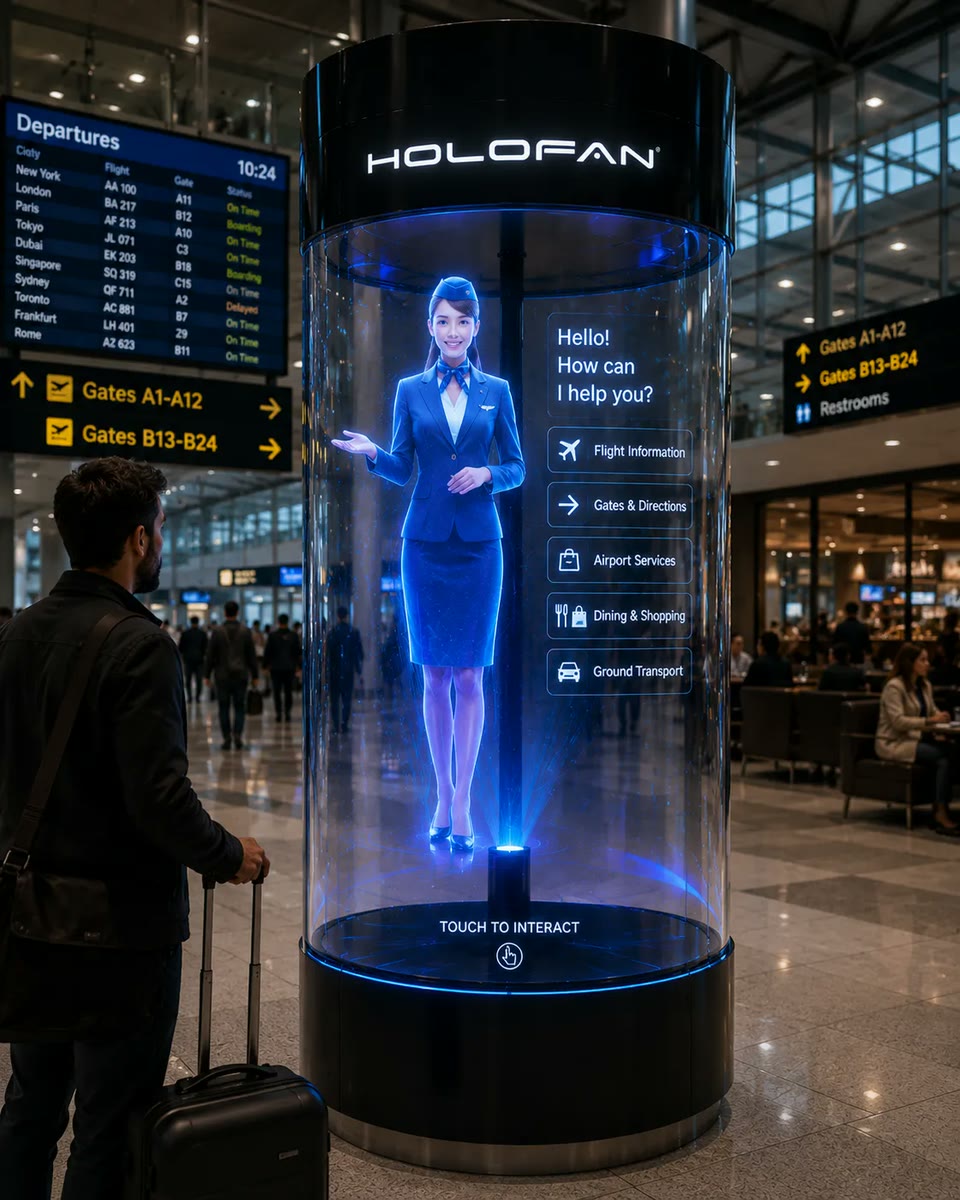
Retail counters, reception desks, product stands, tabletop demonstrations and showcases. Viewers are close enough to see detail and depth, so very large hardware is often unnecessary.
Consider: 11.8″ or 25.6″ class, depending on the application.
Trade show booths
Viewers approach from the aisle
People often see the booth from the aisle before they step in, so visual presence matters more. Aisle distance, booth size, surrounding displays, overhead lighting and whether the hologram is the focal point or a supporting element all shape the choice. Holographic displays for trade shows
Consider: 25.6″–39.4″ class for many standard booths; 59″ class and up or HOLOWALL™ for larger booths.
Retail and storefronts
Distance changes with placement
At a counter the viewer is close; at a shelf or feature display they may be several feet away; through a storefront window they can be much farther. A flagship store may call for a larger display or a multi-display installation. Holographic displays for retail
Consider: 25.6″ class at the counter, 31.5″–39.4″ class for feature displays, 39.4″ class and up or multi-display for storefronts.
Events and activations
From product activations to stages
Audience distance, crowd density, room size, stage height and lighting decide how much scale the visual needs, and whether it has to read across the room. Holographic displays for events
Consider: 25.6″–39.4″ class for smaller activations; larger displays or modular installations when the visual must be seen from farther away.
Lobbies and architectural spaces
Viewed at moderate distance
The display should feel proportionate to the ceiling height, wall dimensions, lobby width and the path people walk. Too small, and it disappears into the architecture; too large, and it can overwhelm the space.
Consider: medium, large-format or multi-display systems may be appropriate depending on viewing distance, architecture and desired visual scale.
Starting points, not tested guarantees. Evaluate the actual space before choosing hardware.
Proportion
Bigger is not always better
A common buying mistake is assuming the biggest hologram fan will always create the best result. More size gives the visual more presence, but presence only helps when the space and the audience need it.
Oversized hardware can work against the installation when viewers stand close, when clearance or mounting space is limited, when the display has to travel, when the object doesn’t need to appear large, or when the display ends up out of proportion with its surroundings.
The right display should feel intentional within the installation.
Sizing is about proportional fit: enough scale for the farthest important viewer, without overwhelming the people standing closest.
One display or several?
A single display is the simplest way to show one focused visual. Multi-display systems trade some of that simplicity for scale.
One display works well when
- One subject fits comfortably within one circular canvas
- Portability matters
- Installation simplicity matters
- The display is a focused object or product visual
Consider multi-display when
- The visual needs substantially greater physical scale
- The composition extends beyond one circular area
- The installation becomes architectural
- Human-scale content is required
HOLOWALL™ and HOLOHUMAN™ are designed as multi-display systems. Compatibility depends on the model and system configuration, so confirm it before planning a custom multi-unit installation.
Brightness, content and distance
As viewing distance increases, brightness and contrast matter more. The display doesn’t get dimmer as you step back, but the image takes up less of your field of view and competes with more of the light around it.
Content changes the result just as much. On the same display at the same distance, strong silhouettes, larger objects, high contrast, controlled motion, simple shapes and minimal text tend to stay recognizable longer. Tiny details, complex or low-contrast scenes, small text, thin lines and crowded compositions usually lose clarity first.
So judge distance together with brightness, ambient light, content contrast, the background and the size of the image, never on its own.
HOLOFAN first-party test
Same display, different content, increasing distance.
Simple product
Detailed product
Logo
Text-heavy visual
Space, mounting height and viewing angle
Display diameter is only one part of planning the space. Where and how the display is mounted changes how people see it.
Mounting height
Viewing angle
Footprint
More than the diameter
Plan for the stand or mount, any protective enclosure, rotating-blade clearance, viewer clearance, power and cable routing, service access and surrounding objects. In public spaces, position the display so people can’t accidentally reach the rotating hardware, and follow the manufacturer’s clearance and enclosure guidance. Manuals and operating instructions
Mounting height
Changes how the image is seen
Lower placement suits product displays, counters and close viewing. Eye-level placement suits most retail, trade show and general commercial displays. Elevated placement helps when the display has to stay visible over crowds, when traffic passes underneath or when physical access must be restricted. The right height depends on the audience and the space.
Viewing angle
Face the audience
A hologram fan reads best when people have a clear view of the display plane. The farther viewers move off-axis, the narrower and less immersive the image can look, and the more noticeable the hardware becomes. Avoid placements where most people will see the display from an extreme side angle.
The HOLOFAN Size Selection Framework
Seven questions that decide display size and viewing conditions. A practical planning framework, not a guarantee: the final choice still depends on the actual space.
How far away will the primary viewer stand?
Sets the starting size class.
What is the farthest important viewing distance?
Shows whether the visual has to carry across the space.
How large should the holographic object appear?
Object size within the canvas, not just the display diameter.
What type of content will be displayed?
Consider detail, text, silhouette and subject scale.
How bright or visually competitive is the environment?
Windows, overhead lighting and nearby screens make contrast and scale matter more.
How much physical installation space is available?
Consider width, height, mounting and clearance.
Will one display provide enough visual scale, or should a larger or multi-display system be considered?
Compare a larger single display with a multi-display system.
What to measure before buying
Real-world HOLOFAN examples
How it performs in real commercial environments.
FAQ
Frequently asked questions.
Short answers to the questions buyers ask most.
What size hologram fan should I buy?
Choose based on viewing distance, available space, desired visual scale, content, and the environment—not size alone. A larger display is not automatically the better fit.
How far away should viewers stand?
The ideal distance varies by display size and installation. Larger displays generally support viewing from farther away, while smaller displays are often better for counters, booths, and closer interaction.
Is a bigger hologram fan always better?
No. A larger display can provide more visual presence, but it may be unnecessary for close-range applications and can increase installation requirements.
Does a larger hologram fan have better image quality?
Not automatically. A larger display gives a larger canvas, but perceived image quality also depends on LED density, controller quality, brightness, content and viewing distance.
What is the best hologram fan for trade shows?
For many booths, portability, viewing distance, brightness, setup time, and content quality matter more than maximum size. The appropriate model depends on the booth and objective.
What is the best hologram fan for retail?
Retail installations typically benefit from reliable looping playback, strong content, appropriate brightness, and a display size matched to viewing distance.
What size is best for life-size holograms?
A single circular display is rarely tall enough for a life-size figure. Human-scale content generally suits a vertical multi-display configuration such as HOLOHUMAN™, which aligns three HOLOFAN displays in a vertical 1×3 configuration.
Can multiple hologram fans be synchronized?
Some multi-display configurations support synchronized or coordinated playback, but compatibility depends on the model and system configuration. HOLOWALL™ and HOLOHUMAN™ are designed as multi-display systems. Confirm compatibility before planning a custom multi-unit installation.
About HOLOFAN
Commercial holographic displays, content and support.
HOLOFAN provides commercial holographic display hardware, custom visual content, large-format holographic systems, and deployment support for retail, trade shows, events, installations, and enterprise applications.
About this guide
About HOLOFANReady to Build a Holographic Display?
Explore HOLOFAN's holographic displays for retail, trade shows, events, product showcases, and enterprise installations.